Label design · 2026
Labels,
dot by dot
Adstove is a label designer that runs in the browser and shows a live 1-bit proof of every edit. The proof is not a preview. It is the same dots the printer burns.
203 dpi
One renderer
The proof you see
is the label you get
Most label tools draw the screen with one engine and the printer with another, so the label surprises you at the rail. Adstove has one renderer and one dot grid. The browser proof, the render that comes back from the API, and the label on the rail hold the same dots in the same places.
01 In the browser
Live 1-bit proof, every keystroke
02 From the API
One bit per printer dot, PNG or ZPL
03 On the label
Thermal head, 8 dots per mm
= Nothing is resampled between them. A bar three dots wide stays three dots wide.
Barcodes
Geometry the
scanner asks for
A barcode is not a picture of stripes. Guard bars must run past the data bars. The human-readable digits belong in the channel the guards open. Quiet zones must stay quiet. Adstove draws all of it to the standard, at whole dots, at any density.
GuardsThe start, centre and end bars drop five modules below the data bars.
Inset digitsTen digits sit in that channel. The number system and the check digit sit outside, in the quiet zones.
Your agent
designs the label
Adstove ships an MCP server. An AI agent connects to it and does the whole job: list the templates, create a design, bind the fields, validate it, render a 1-bit proof, look at that proof, and hand back the ZPL for the printer.
No screen recording, no scraped UI, no person clicking through a dialog. The agent gets the same renderer a person gets. Everything it can do is also a REST call, with an OpenAPI spec to read.
list_templatesget_templatecreate_designreplace_designvalidate_designupload_assetrender_proofrender_zpl
From the rail
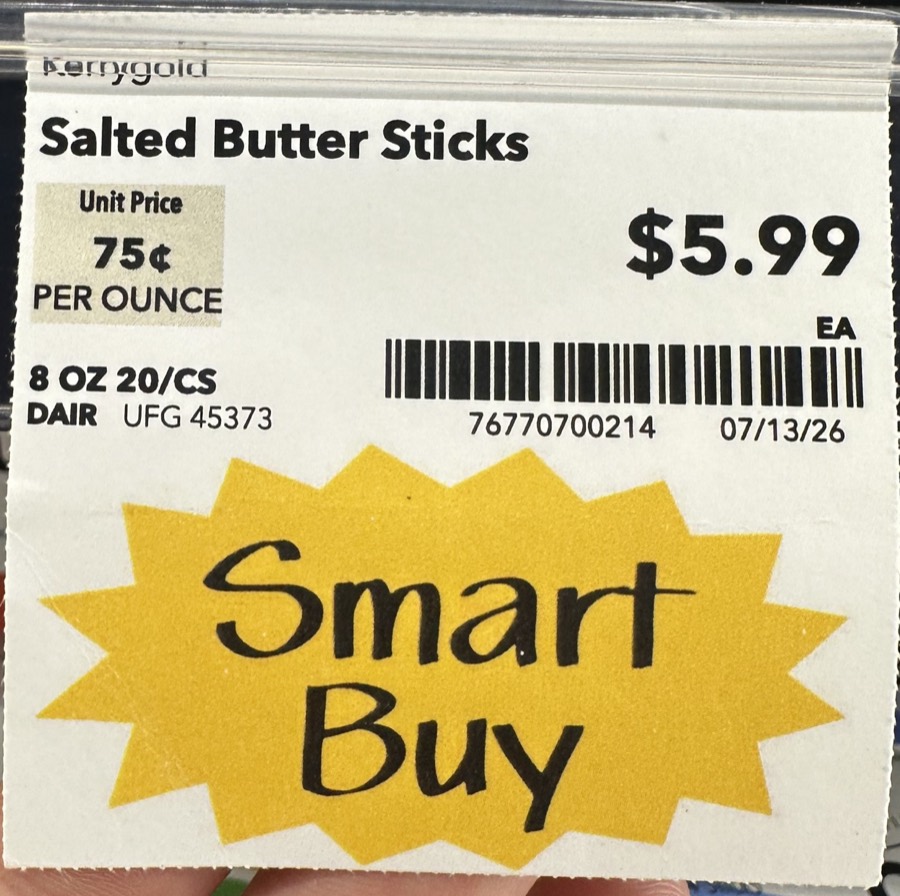
Photograph a tag.
Get the layout.
You already print a tag today. Point a phone at one on the shelf and Adstove reads it back as a layout you can edit — blocks, sizes, positions and fields. Not a picture of a tag. A tag.
How it works where you work
Built for a back
room, not a demo
01
Works offline
The editor keeps your work on the device. The Wi-Fi in the back room can drop and you keep designing.
02
Syncs when you sign in
Sign in and the work you did offline goes up, and the work your team did comes down.
03
Shared workspaces
One workspace holds the designs, the templates and the assets. Everybody on the team sees the same shelf.
04
An API you can read
Every operation is a REST call with an OpenAPI spec. Render from your own systems, on your own schedule.
Template library
Start from a label
somebody already prints
Each template arrives sized, bound to fields, and with a sample record in it. Open one, change the words, print.
Grocery
Shelf tags & promo talkersIndustrial
GS1 case, pallet & binPricing
We count stores.
Not printers.
Label software has counted your printers and your seats for a very long time. Add a printer, pay again. Add a clerk, pay again. That is somebody else's problem to solve, and we are not going to make it yours.
per store
Every printer in the building. Everyone who works there. The number does not move.
- Unlimited printers
- Unlimited users
- The full template library
- API and MCP access included
Get the first invite
Leave an email and we will tell you when your store can start. No newsletter, no tracking, nothing else.